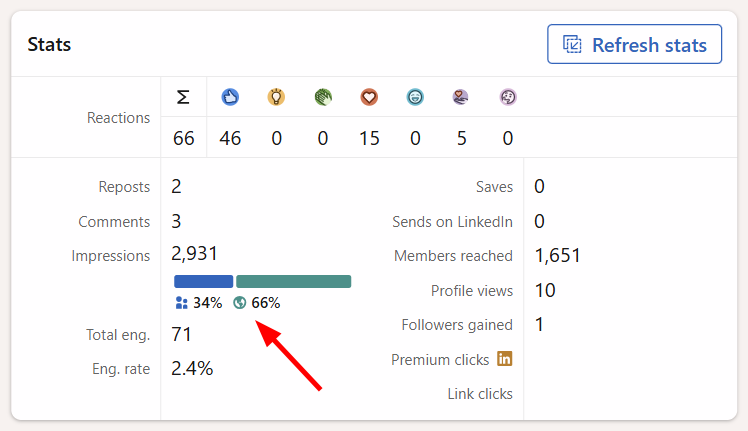
LinkedIn introduced a breakdown of post impressions into in-network and out-of-network impressions, and many AuthoredUp users asked us to support this feature. You can now track both metrics in AuthoredUp to better understand how your content reaches people.
What's the difference?
In-network impressions are impressions from people within your LinkedIn network, such as your connections.
Out-of-network impressions are impressions from people outside your LinkedIn network who discover your content through LinkedIn's distribution.
The distinction can be significant. Out-of-network impressions can account for 50% or more of a post's total impressions, and some posts reach 80% or more. This breakdown helps you understand how much of your reach comes from your existing network and how much comes from beyond it.
Where can I find these metrics?
You can find the in-network and out-of-network impressions breakdown in the Reach breakdown column in the Posts table, as well as wherever advanced post statistics are available in AuthoredUp.
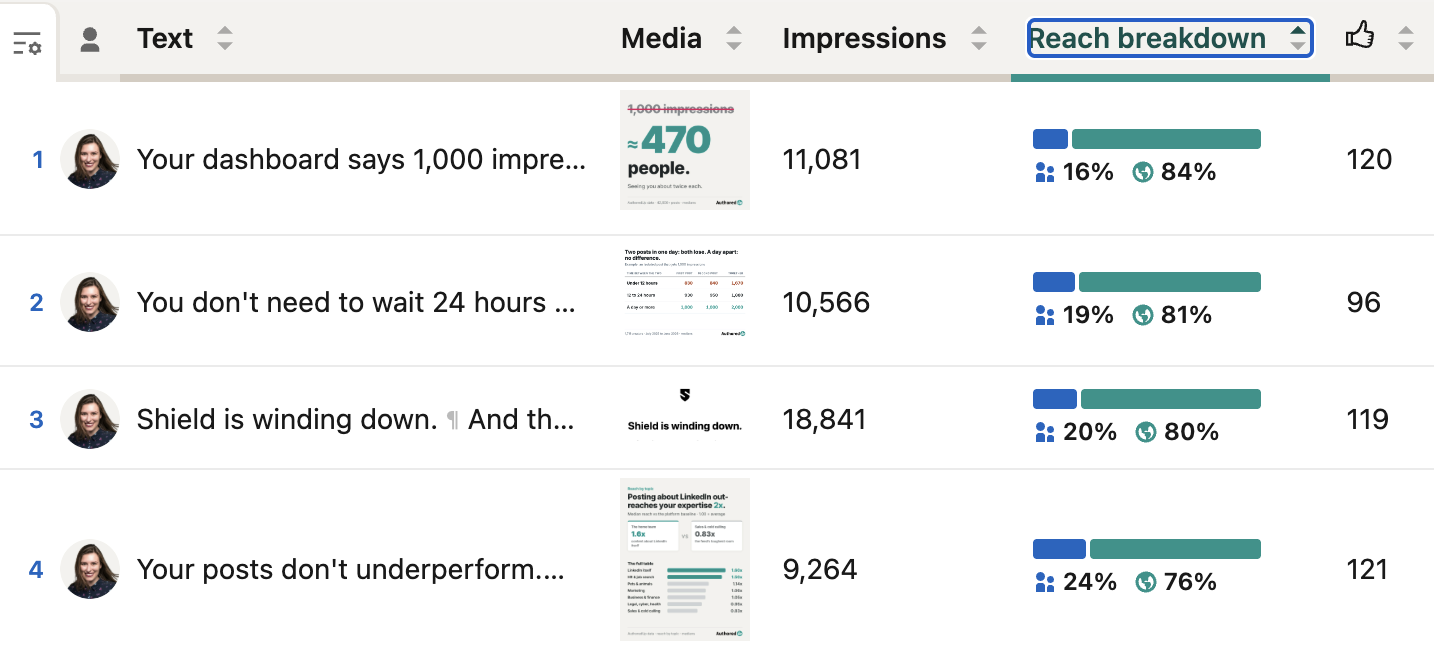
Do I need to collect the data again?
If you've already collected advanced statistics for a post, its reach breakdown is available automatically. You don't need to collect the statistics again.
For new posts, or posts for which you haven't collected this data yet, you'll need to collect the advanced statistics to access the reach breakdown.
Important: Please note that the reach breakdown is not available for posts published more than one year ago, as LinkedIn does not provide this data for older posts.