
AuthoredUp Insider is our free email newsletter about what actually works on LinkedIn.
Every week we take one question creators ask, and answer it with data from real LinkedIn posts instead of opinions.
Each issue is short and has the same shape:
- the question, and why we looked at it
- how much data the answer is built on
- what we found, in charts you can compare your own numbers against
- what to do with it
- one honest line about what the data cannot tell you
Every number is aggregated. No person, post, or account is identifiable.
Want to see one before you decide?
Issue 1, "More Followers, Less Reach", is here: see what an issue looks like. Subscribe, and you start with the next issue.
How to get it
- Go to your Account and settings page.
- Scroll down to the Settings section.
- Check the box Subscribe to email communications, including AuthoredUp Insider, product announcements, and special offers.
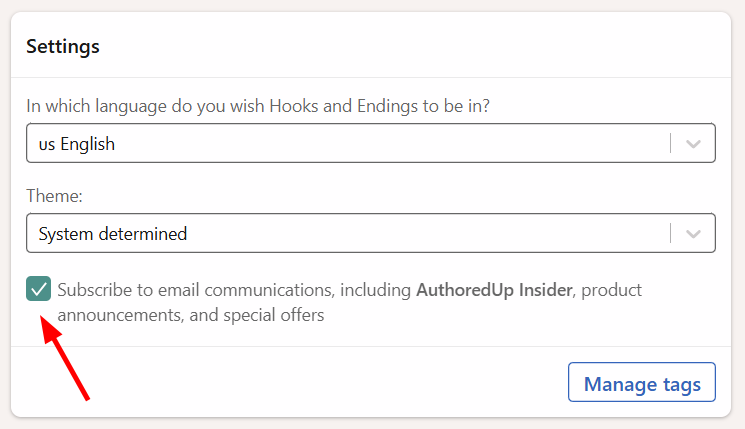
Uncheck the same box at any time to stop receiving it. For more about your email preferences, see How to opt in or out of email communications?
Note: This is not the same as the Notifications tab, which controls alerts about your drafts, posts, and connected channels.