
You can choose which notifications you want to receive and how you'd like to receive them – via email, as in-app alerts, or through Slack and Microsoft Teams.
Notification types
There are three types of notifications:
- Email – Sent to your registered email address.
- In-app alerts – Delivered inside the application interface.
- Channels – Delivered through connected Slack or Microsoft Teams channels.
Managing Your Notification Preferences
- Go to your Account and settings page and open the Notifications tab.
- In the list that appears, you can customize your preferences for each event:
• Check or uncheck the boxes to enable or disable email and/or in-app notifications.
• Use the Channels dropdown to select the Slack and/or Microsoft Teams channels where you want to receive notifications.
• You can enable any combination of email, in-app, and channel notifications, or disable all of them.
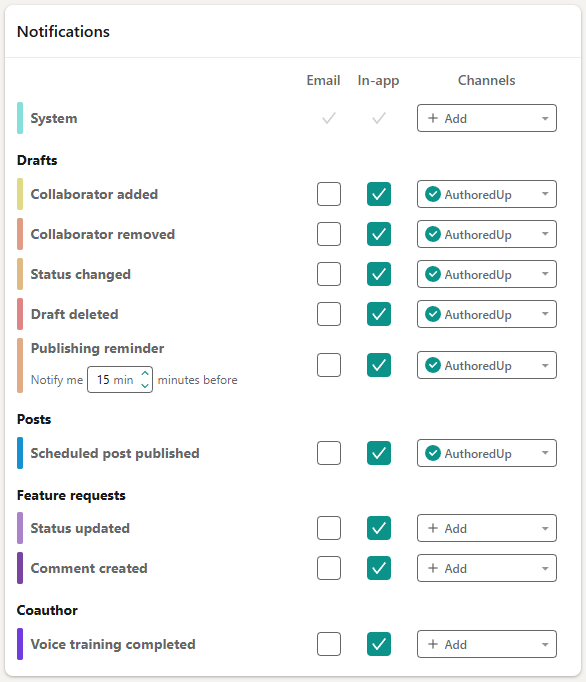
Use this section to stay informed only about the things that matter to you.
Note: You can update your notification settings from both the platform and the browser extension.