
AuthoredUp API allows you to access your data at AuthoredUp via REST API.
Use cases:
- Integrate AuthoredUp data into your own application
- Export AuthoredUp data into 3rd party systems, for reporting and other purposes
- Create and update drafts programmatically, e.g. from your own tools or AI workflows
Getting access
API access is made available to all AuthoredUp users with a valid license of any kind (trial or paid, individual or business). To authenticate your requests, you will first need to obtain an API key.
Go to Account and settings → Integrations tab, and click Generate key button.
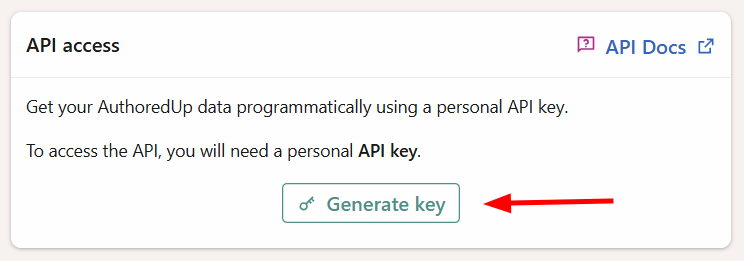
You will be given a personal API key you can use to authenticate your requests.
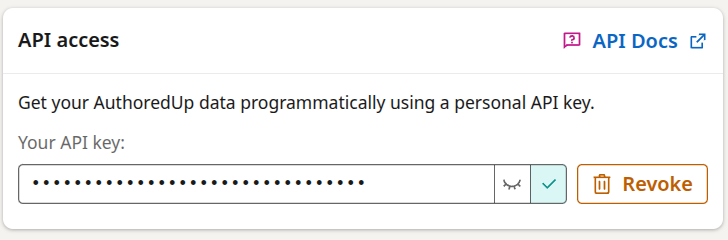
Your personal API key gives you access to all the data you can access as an individual AuthoredUp user. If you are a manager or admin of a team, that will also include the information shared with you by your teammates.
In case you suspect your key was leaked, click Revoke and it will be disabled. You can always generate a new key later.
The API also accepts OAuth tokens issued when you connect an AI client to AuthoredUp (e.g. through our MCP connector). These tokens are managed automatically by the connected client – you don't need to handle them manually.
URL-s
This is the API's base URL:
https://api.authoredup.com/
Append the specific endpoint's path to get the final URL (endpoints can be found in the spec page).
All requests should be sent using https. Unsecured http is not supported.
Headers
Each sent request must include these http headers:
Authorization: Bearer <your-api-key>
Accept: application/json
Make sure to replace the <your-api-key> placeholder with the key you've generated in your account page.
Requests that send a body (e.g. creating or updating drafts) must also include:
Content-Type: application/json
Data formats
- All data is received and provided in
JSONformat. - Dates are provided as ISO 8601 strings.
- Query results consist of the main
itemsarray, and additional arrays with referenced entities. - Query strings can accept arrays as repeated parameters. Eg.
x=1&x=2 - Images and documents can be fetched via their ID. The endpoint might return direct file data or a 302 redirect, depending on how the asset is stored.
- Draft text is provided as standard text + attributes, and as markdown content, supporting inline styles (bold, italic,
monospace) and @-mentions in the form@[Name](identifier).
Rate limits
The api is currently rate-limited to 100 requests per hour per user. This rate limit is shared across all end-points.
In each response, the api will return the following headers:
x-ratelimit-limit: <integer>
x-ratelimit-remaining: <integer>
x-ratelimit-reset: <integer>
Where the values are:
| Header | Meaning |
|---|---|
x-ratelimit-limit |
How many requests you can create within one window (should be 100) |
x-ratelimit-remaining |
Number of requests remaining |
x-ratelimit-reset |
Unix timestamp (number of seconds since January 1st 1970) until the limit resets. When you first make a request, it will be 1 hour into the future. |
If you exceed the limit, the API responds with status 429 and a retry-after header telling you how many seconds to wait before trying again.
Specification and testing grounds
Detailed endpoint specification can be found here.
If you're logged into your AuthoredUp account, you will be able to test out requests straight from that page.
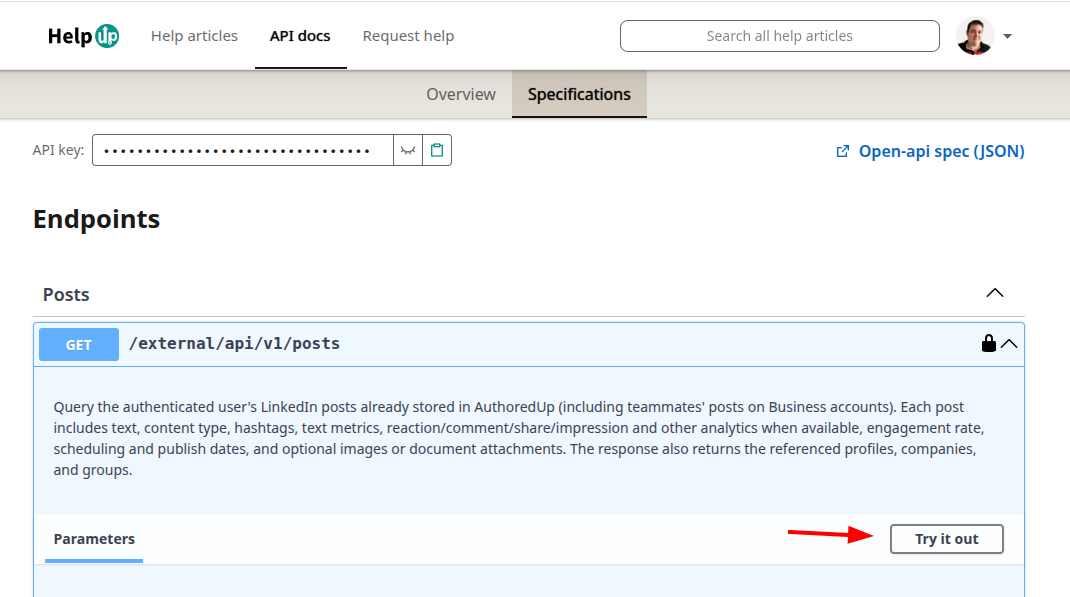
We also provide an open-api specification, which you can use to automatically generate client code using tools like Swagger Codegen, or any coding LLM (just give it the JSON spec and tell it which programming language you use).
Change log
This is the history of changes made to the API.
August 11th, 2025
The initial API release. Include endpoints for:
- list actors
- list user's own posts and saved posts
- profile and company page history
December 30th, 2025
We now return LinkedIn's activity_urn with posts. We also allow you to fetch posts by activity urn.
July 20th, 2026
The API can now write data, not just read it. New endpoints:
- Drafts: list, fetch, create, and update drafts. Draft text is written in markdown with inline styling (bold, italic, monospace) and @-mentions. You can set an internal title, tags, the publishing profile or company, collaborators, and a planned publish time.
- Mentions: list profiles and companies that can be @-mentioned in drafts.
- User tags: list your tags with usage counts across posts and drafts.
- Organization members: list active members of your organization, usable as draft collaborators.
- Help articles: search through our help articles
- Roadmap: search, create and update issues on our roadmap
Other changes:
- Post queries now support sorting by additional analytics fields, including
link_click_count. - OAuth tokens (issued when connecting AI clients such as our MCP connector) are now accepted alongside personal API keys.
- The published specification was upgraded to OpenAPI 3.1, with improved endpoint descriptions throughout.
November 4th, 2026
- Expanded post text metrics cover line and paragraph structure, word-count statistics, emoji placement, style shares, punctuation, dividers, and the ending of the first line.
- The REST API's OpenAPI specification and the MCP output schema now describe the expanded metrics together with the legacy
paragraphs,hasBold,hasItalic, andhasUnderlinefields. MCP clients can validate responses that include both sets of fields.